

Latest Version
Jan Prochazka
IT Tools
Linux
Free
org.dbgate.DbGate
Report a Problem
More About DbGate
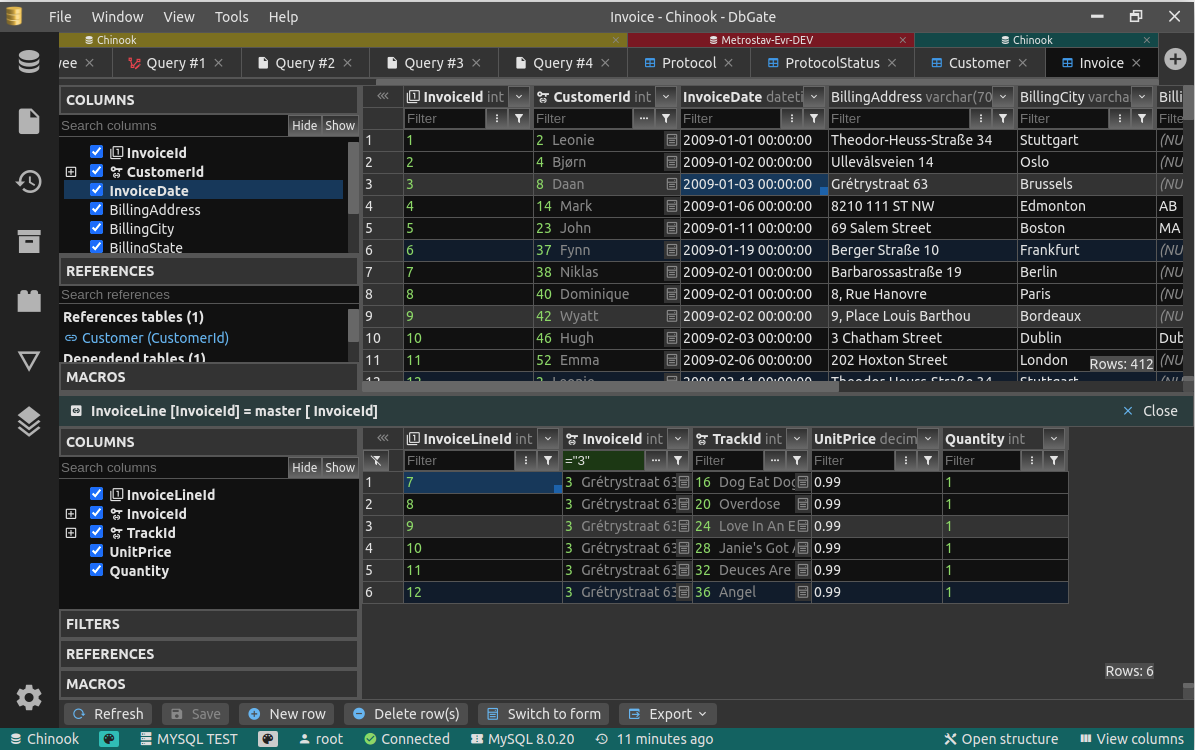
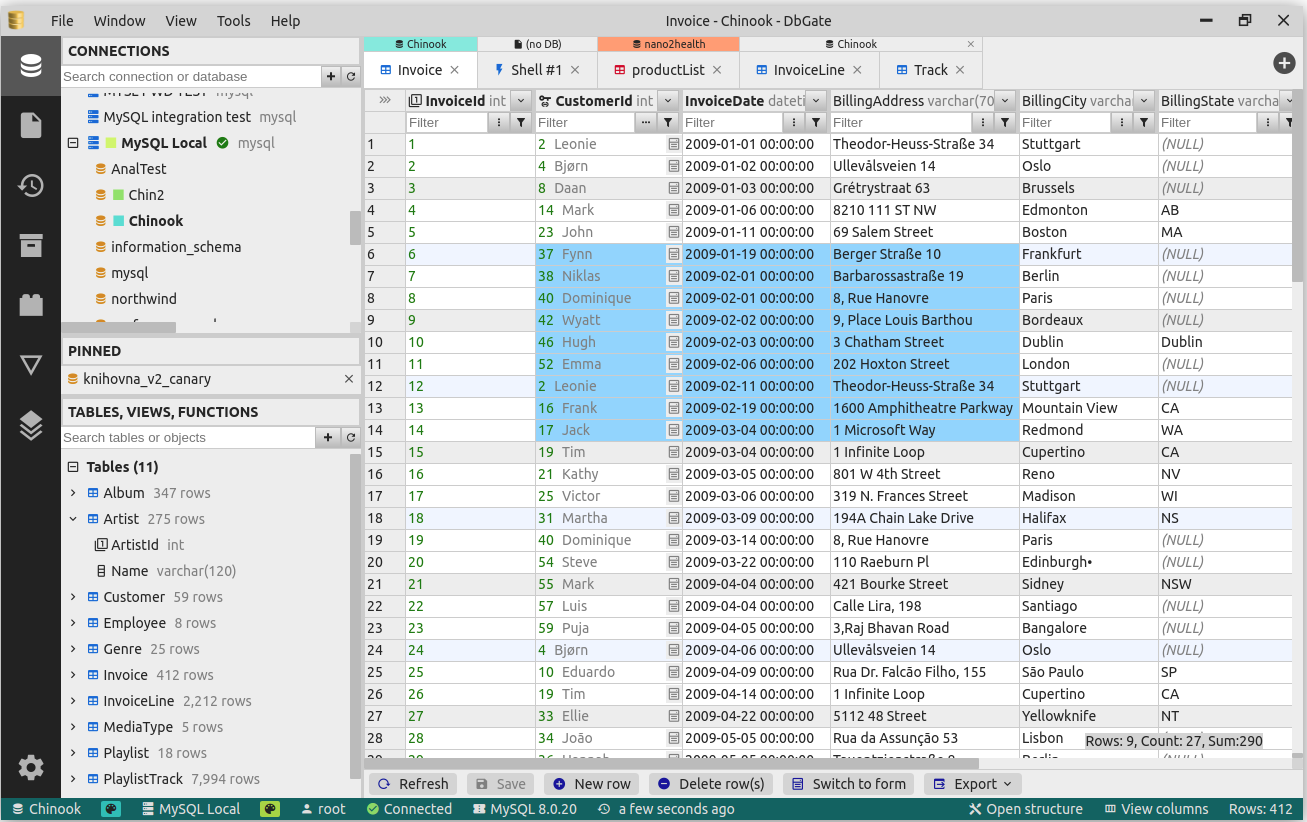
Imagine you are in the middle of a critical deployment, juggling a legacy MySQL database, a modern PostgreSQL instance, and a NoSQL data store all at once. Switching between different command-line tools and heavy, bloated administration suites can quickly turn your workflow into a chaotic bottleneck. This is precisely where the DbGate database manager steps in to streamline your operations.
What is DbGate?
Developed by Jan Prochazka, this application is a highly versatile, cross-platform database client categorized under essential IT tools. Specifically optimized for the Linux platform, it is built to handle multiple database connections simultaneously without degrading system performance. Whether you are dealing with structured SQL tables or flexible NoSQL documents, it provides a unified, clean interface to manage your data assets efficiently.
Key Features of the DbGate Database Manager
While many database clients focus on simple querying, this utility offers a robust suite of advanced features designed for modern development workflows:
- Multi-Database Handling: Connect to and manage various database engines at the same time from a single, intuitive interface.
- Visual Query Designer: Build complex queries visually without having to write raw SQL from scratch, perfect for quick data exploration.
- Data Visualization & Charts: Transform raw query results into illustrative charts directly within the application to spot trends instantly.
- Schema Compare: Easily compare database schemas to identify discrepancies between your development, staging, and production environments.
- Batch Import & Export: Move large volumes of data in and out of your databases with highly customizable batch processing tools.
An Efficient Tool for Developers and Admins
The strength of this utility lies in its balance of simplicity and depth. It avoids the cluttered menus typical of enterprise database suites, yet it does not sacrifice the power tools that system administrators and developers rely on daily. Because it functions as both an SQL and NoSQL client, it eliminates the need to run separate applications for different database paradigms, saving precious RAM and screen real estate on your Linux workstation.
Pros and Cons
Pros
- Completely free to use with no hidden paywalls.
- Clean, modern interface that is easy to navigate.
- Strong cross-platform foundation with excellent Linux optimization.
- All-in-one capability for both SQL and NoSQL engines.
Cons
- Advanced schema comparison tools may require a slight learning curve for beginners.
Final Verdict
If you are looking for a lightweight, capable, and highly visual environment to manage your data, the DbGate database manager is an exceptional choice. It successfully bridges the gap between simple data browsers and heavy administration consoles. To explore this tool further or to add it to your development environment, visit the official Flathub store page to get started.
Rate the App
User Reviews

Popular Apps










Editor's Choice